Command your agents. Inspect their work.
Commandem is the local-first orchestration layer for coding agents. Plan work across projects, route it to the right provider and account, monitor runs, and inspect results with gates and receipts. Commandem can check work when a Mission has a gate; work without a gate remains unverified.
Private builds today; public release in preparation. No Commandem cloud account required. Model providers receive the context you choose to send.
Commandem · Overview

Real window capture of Commandem on real project data. Cost estimate hidden. Open full-size Overview image.
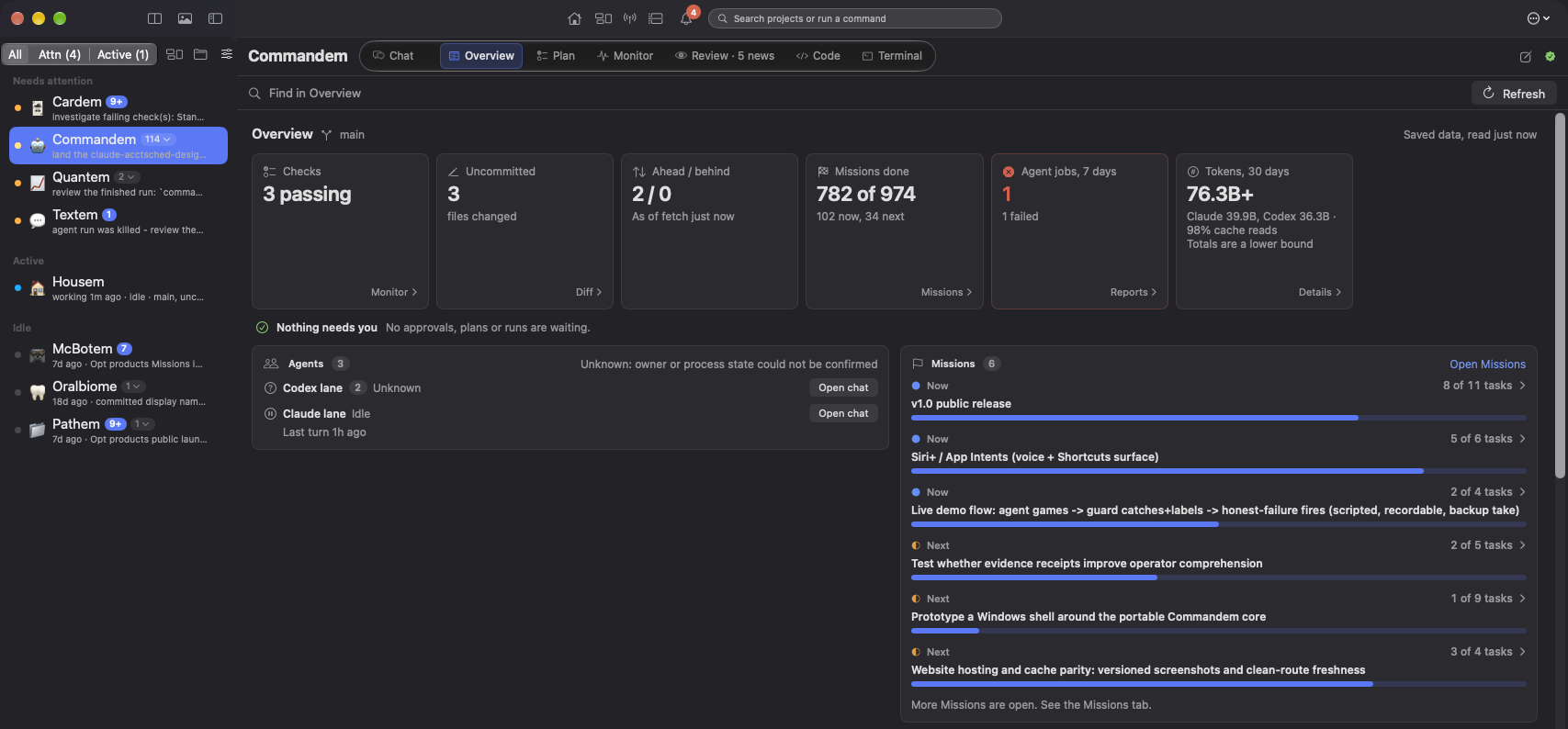
Command + proof
A complete orchestration loop.
Commandem coordinates agentic work with explicit planning, routing, human control, and deterministic gates. It keeps intent, execution, evidence, and explanation connected so “done” means more than an agent saying it.
Plan
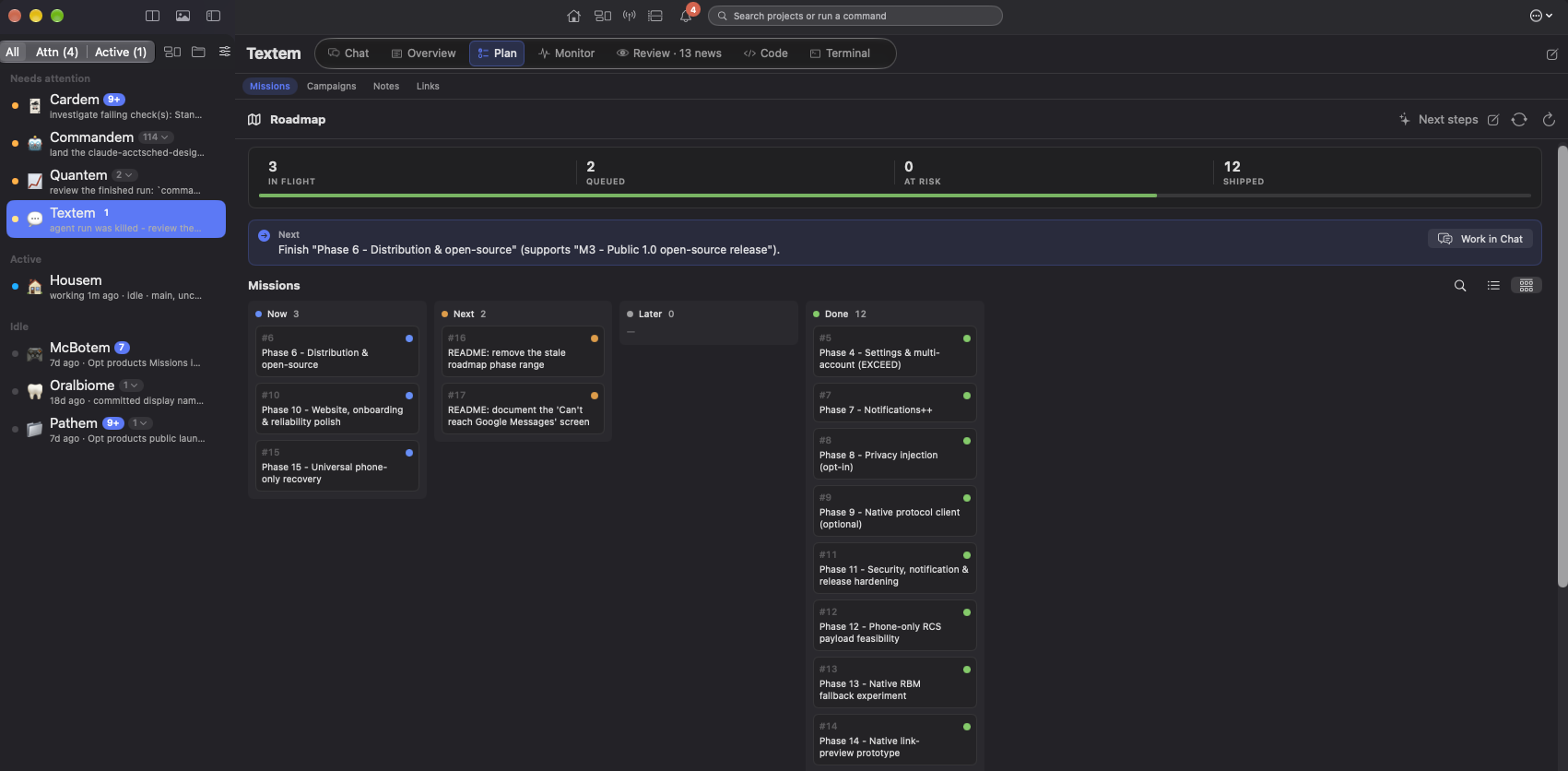
The roadmap is an executable workspace.
Search and scope work across projects, schedule capacity, inspect dependencies, and require a gate before dispatch. Campaigns hold the objective; Missions hold the work.
Plan

Plan · Real window capture of Commandem on real project data. Cost estimate hidden. Open full-size Plan image.
Monitor
One causal signal stream for the whole fleet.
Runs, provider capacity, approvals, privacy signals, notifications, and service health share one document. Open a signal to see the observation, gate result, cause confidence, freshness, and canonical source.
Monitor

Current work loop
See the plan, its limits and the recorded result.
Overview, Usage, Launch and Debrief are real window captures of Commandem on real project data. The navigation strip is a component example.


Overview activity · Real window capture of Commandem on real project data. Cost estimate hidden.

Debrief · Real window capture of Commandem on real project data. Cost estimate hidden.
Inspect Usage and Launch examples

Usage · Real window capture of Commandem on real project data. Cost estimate hidden.

Launch · Real window capture of Commandem on real project data. Cost estimate hidden.
Evidence, not vibes
Experiments measure effects. Replay explains runs.
Commandem separates descriptive reconstruction from causal claims. Experiments own measured comparisons; Replay shows the trace and labels what remains unknown.
Experiments

Experiments: every declared study and its status, so a negative or pending result stays visible, not hidden. Sample data
Replay

Replay: the recorded trace behind a run, with what's observed kept separate from what's inferred. Sample data
Frozen audit snapshot, September 2026. Counts establish observed behavior in the recorded runs; they do not establish a universal model effect.
Read the dated research context and limitations → These figures describe different populations and must not be pooled into a single reliability rate.
Context you can inspect
Know what each turn received and what it did not.
The Context inspector records source identity, precedence, permission, retrieval, exclusions, retention, redaction, and truncation. Profiles bind account and project behavior without hiding the effective configuration.
Knowledge + context
A manifest before memory becomes magic.
Cross-project recall and Matrix recommendations stay bounded by source and privacy policy. Context can be reviewed, removed, and forked into an experiment instead of becoming invisible prompt state.
Context

Profiles + privacy
Make the effective account and data posture visible.
Profiles collect project references, account bindings, Loadouts, models, tools, notification modes, and privacy posture. Named choices stay named in the run and receipt.
Multi-account routing
Bind an account per role and make failover explicit. No silent switch when quota runs out.
Privacy gates
Review what can leave the machine before dispatch; unknown provider settings remain unknown.
Durable receipts
Record account, model, policy, gate, evidence, and outcome for later review.
Notification modes
Prioritize, silence, or schedule alert types without discarding their history.
Local-first, precisely stated
Commandem does not require a hosted Commandem account. Its registry, policy, history index, and receipts are local.
- Your selected model provider receives the prompts and context you send.
- Optional GitHub and sync adapters contact their services.
- The local safety floor is a guardrail, not an OS security boundary.
Extend the fleet
Reusable capabilities with distinct trust boundaries.
Recipes render prompts, plugins execute code with declared permissions, and skills give agents specialized instructions. The marketplace keeps those mechanisms separate while making them searchable together.
Public release path
Private builds today. Public release in preparation.
The current build is actively tested with real multi-agent work. Key rotation, final release gates, packaging, and the public repository decision remain before launch.